
Set up a whole Mac in one step
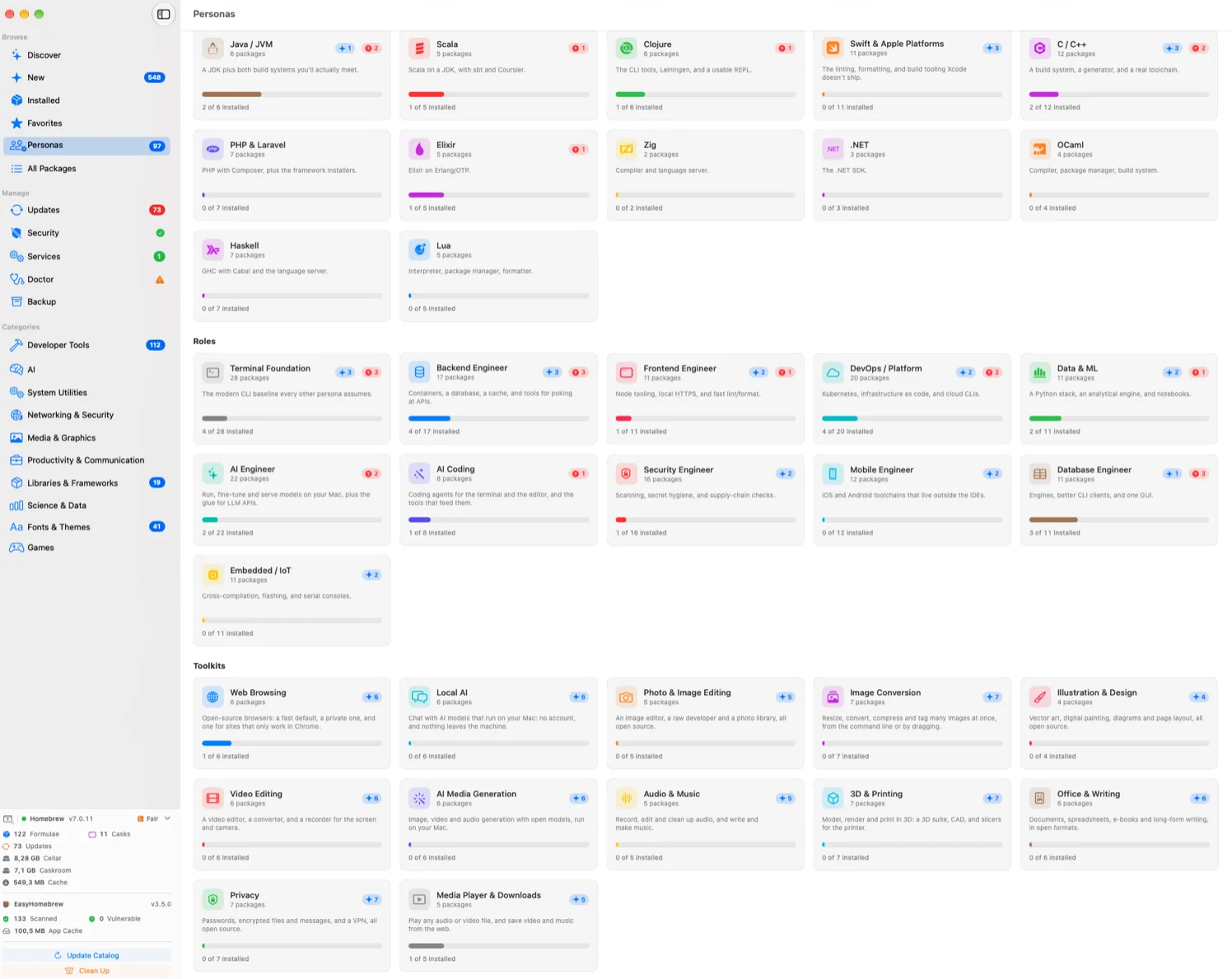
Pick Go and the language server, linter and debugger come with it. Every package says in one line why it is there, and each card shows what is new and what has an update waiting.
Swipe the screenshot to pan →

30-day money-back guarantee — no subscription, no account, lifetime updates within the major version.
Requires macOS 14 (Sonoma) or later — Apple Intelligence features need macOS 26. Latest release: v3.5.0.
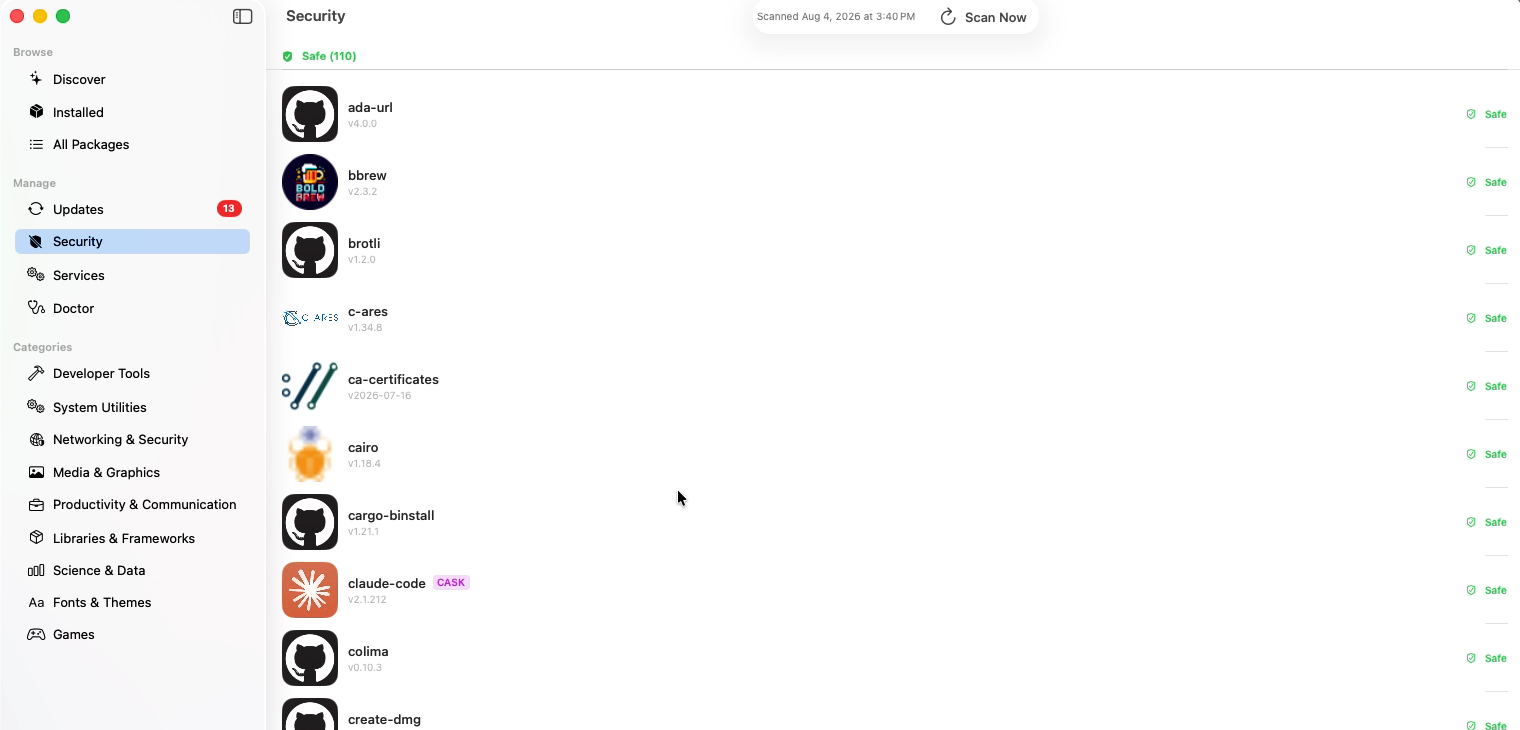
Every installed formula and cask is matched against a live vulnerability database: severity at a glance, one click to the official advisory.
It rechecks on your schedule and tells you the same day a new advisory lands — with the updates waiting beside it.
40 curated bundles that install together: 17 languages and runtimes, 11 roles like DevOps and AI Coding, and 12 toolkits for a job, from photo editing to local AI.
Brew Doctor with one-click fixes, services with their logs attached, backup and restore to a new Mac, storage cleanup, and a health score in the sidebar.
Browse, search, install, update, pin or snooze, uninstall — every formula and cask, with AI-written package pages, in six languages, on macOS 14 and later, Apple Silicon or Intel.
Pick Go and the language server, linter and debugger come with it. Every package says in one line why it is there, and each card shows what is new and what has an update waiting.
Swipe the screenshot to pan →
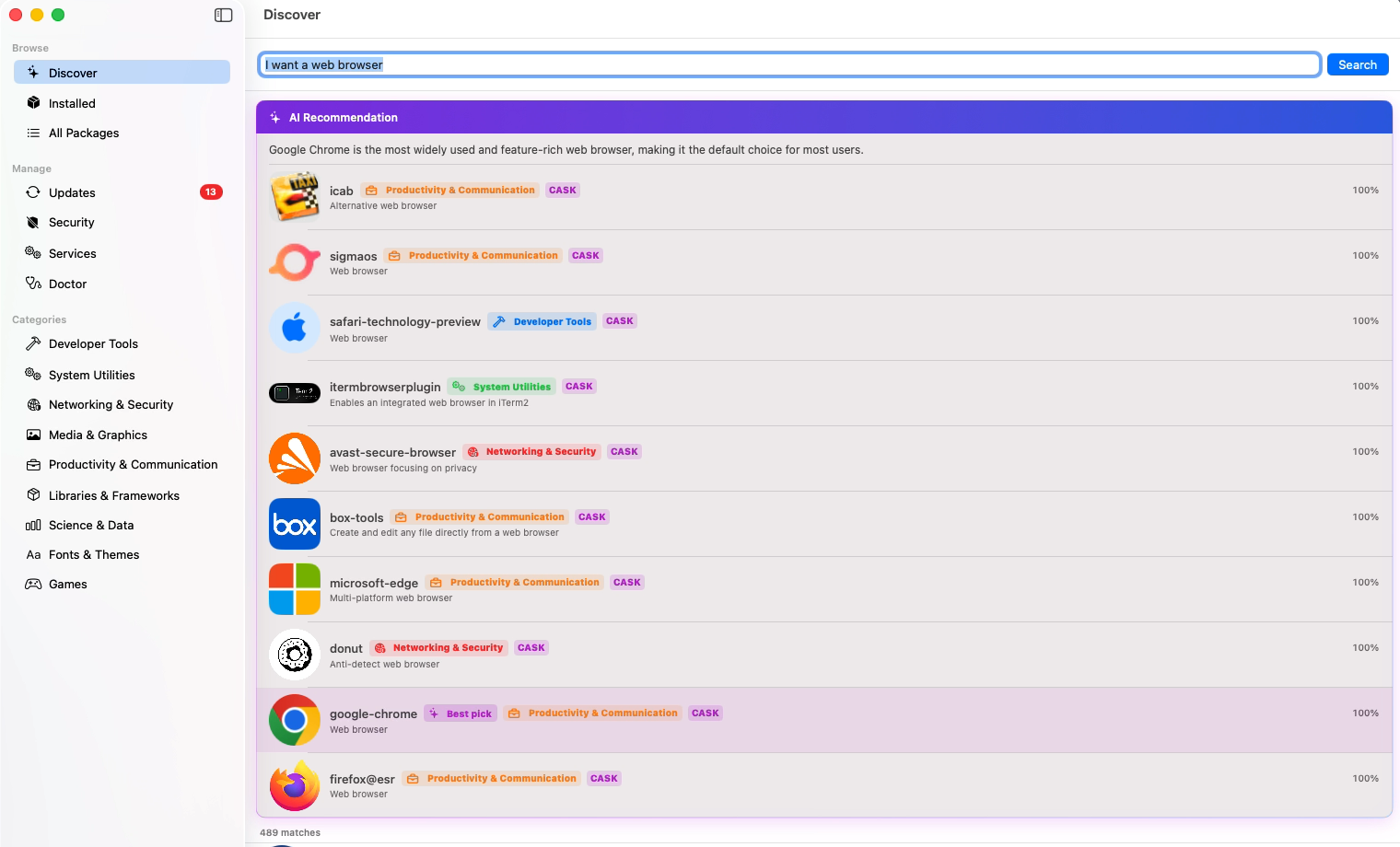
Type "I want a web browser" and Discover reads all 489 matching casks, ranks them, picks one and says why. Apple Intelligence does the reading on your Mac — no cloud, no account.
Swipe the screenshot to pan →
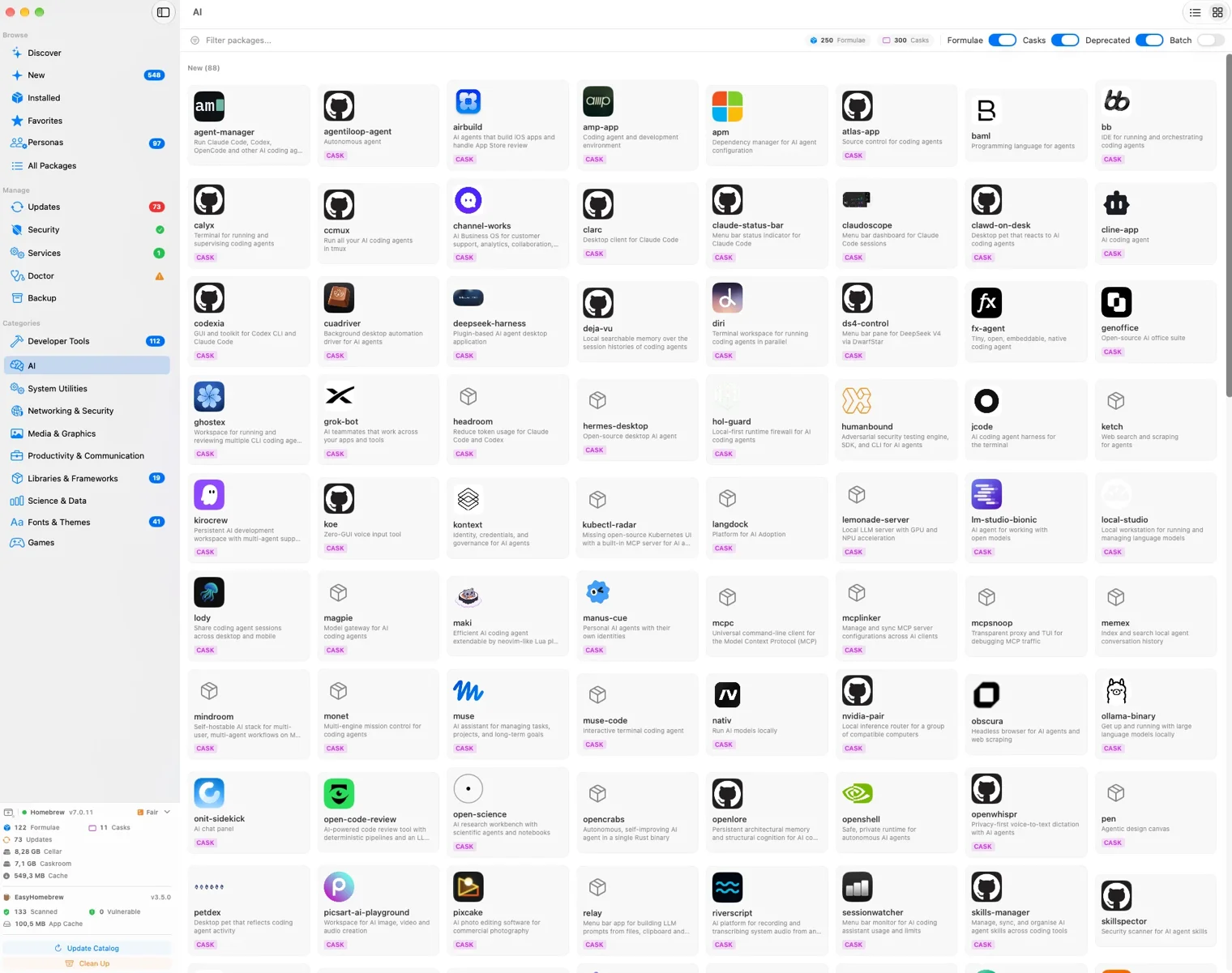
Homebrew's 16,000 packages by category — now with one for AI: chat apps, coding agents, local models and image generators. New packages are counted and listed first.
Swipe the screenshot to pan →
Click any package and the whole picture opens in one place — no tab, no browser, no second tool.
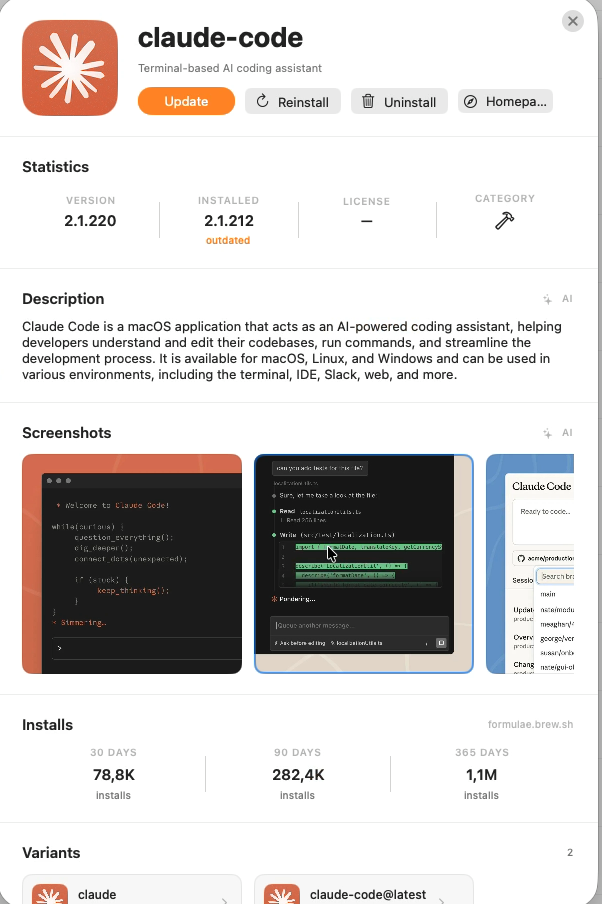
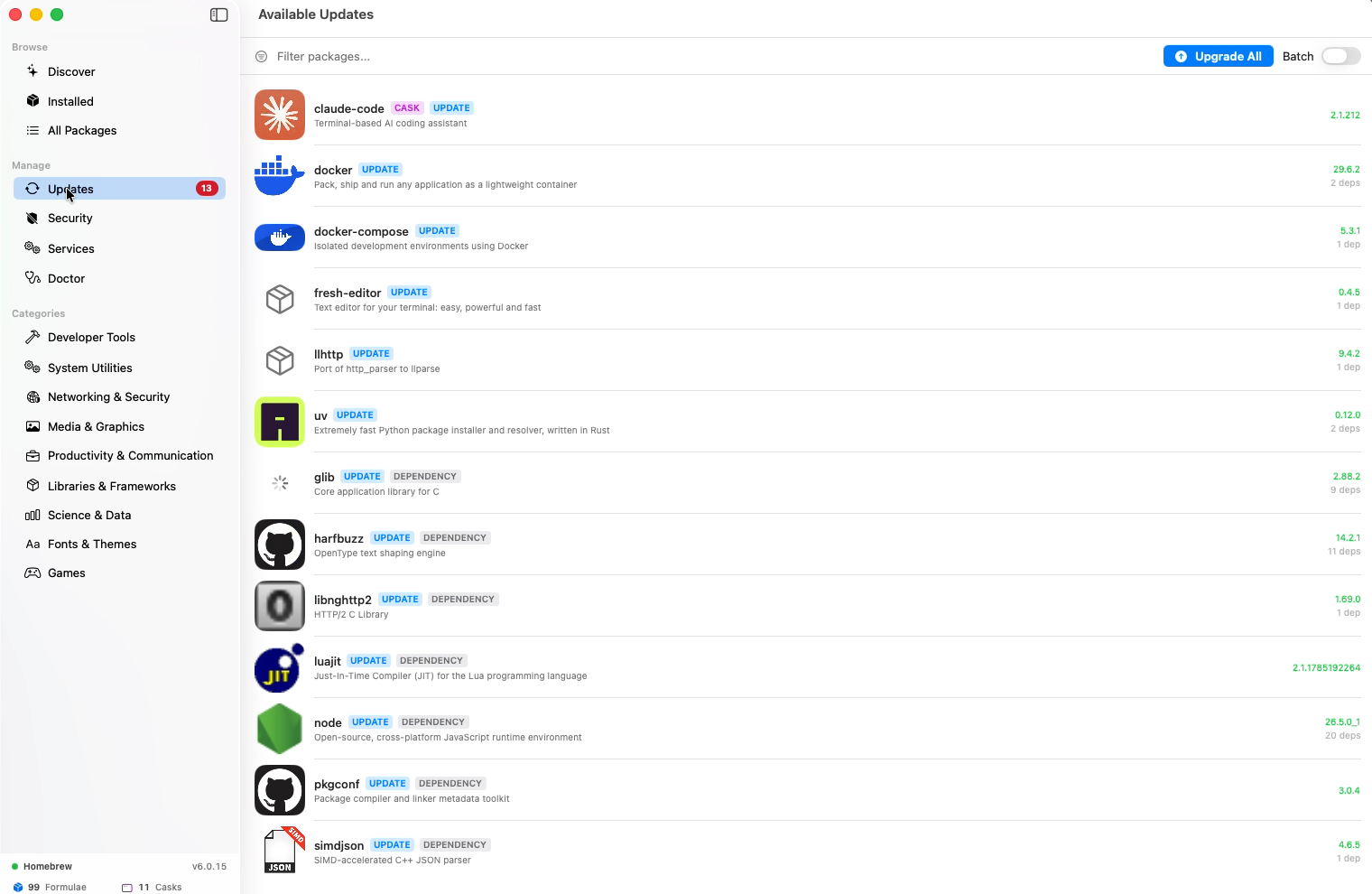
Every outdated formula and cask in one list, with the ones only installed as dependencies labelled. Upgrade one, or all of them at once.
Swipe the screenshot to pan →
The scan covers everything installed and stamps the result with the time it ran, so "nothing here has a known CVE" is a thing you can point at. The menu-bar agent re-runs it on your schedule.
Swipe the screenshot to pan →
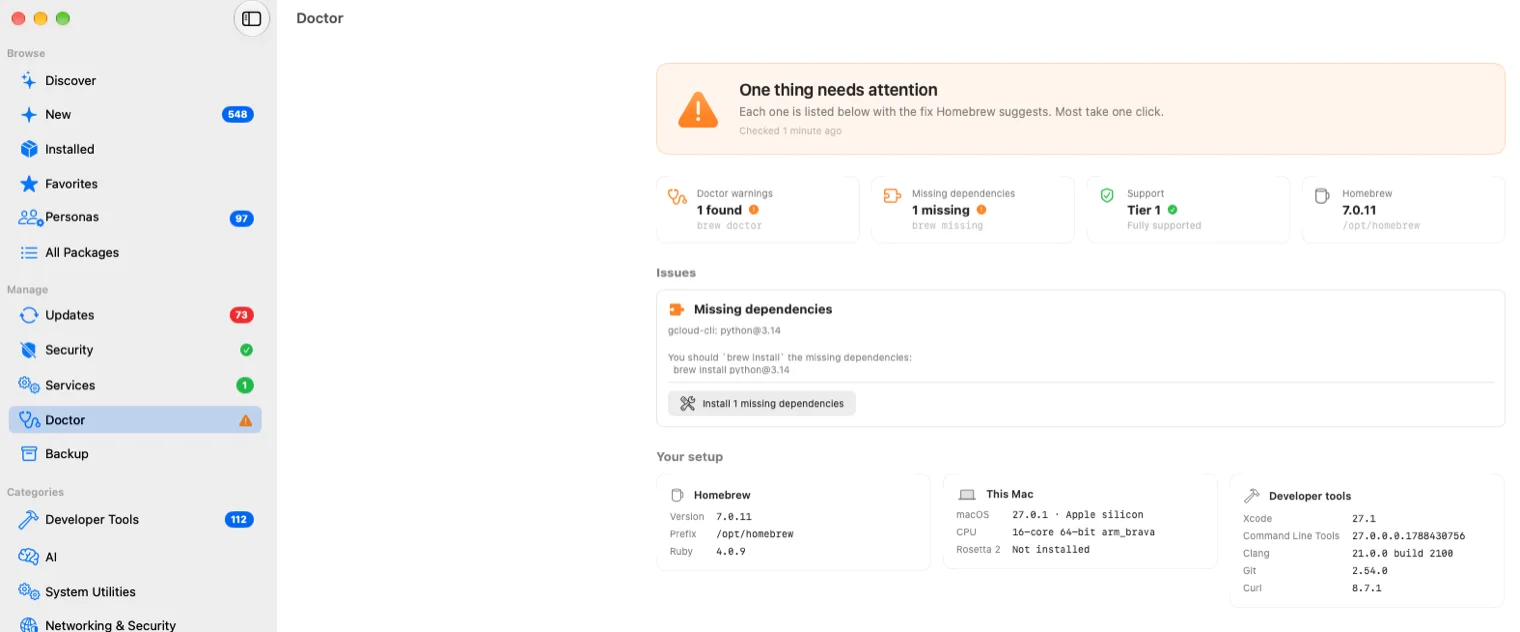
A green check when nothing installed has a known vulnerability, a sign on Doctor when Homebrew needs a fix, a warning when a backup is overdue, and how many services are running — each opening the page that explains it.
Swipe the screenshot to pan →
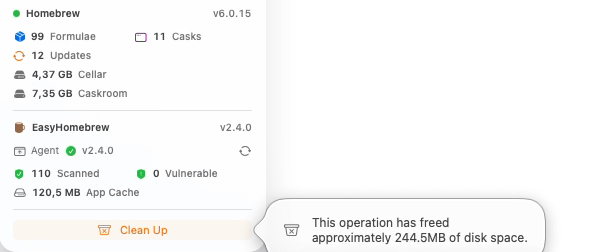
Formulae, casks, Cellar and Caskroom size and the app's own cache, live in the sidebar on every screen. Clean Up gave 244.5 MB back on this machine.
Homebrew itself is a command-line tool. EasyHomebrew puts a native Mac app on top of it: it finds the Homebrew you already have, lists every formula and cask you've installed, and runs brew's own commands when you press a button. Your packages stay where they are, and brew in Terminal works exactly as before.
EasyHomebrew looks for brew where Homebrew's installer puts it — /opt/homebrew on Apple Silicon, /usr/local on Intel — and opens on Installed: every formula and cask you've installed, with nothing to import.
No Homebrew yet? The app offers Homebrew's official installer and runs it for you, inside the app or in a Terminal window.
Type a name into Discover — or describe what you need — and open a result. Its sheet shows the version, what it depends on and how many people install it, and Install runs brew install for you.
Formulae and casks share the same lists, so a command-line tool and a Mac app install the same way.
wget
Internet file retriever
Updates lists every outdated formula and cask. Upgrade All works through them in a queue you can watch and cancel, Update takes one at a time, and Batch lets you pick a few. EasyHomebrew runs brew update each time it opens, so the list is current when you look.
Services, Doctor and Clean Up are in the same sidebar — the table below shows where the rest of brew lives.
Every button runs the brew command you would otherwise type, on the same Homebrew, so what you know about brew still holds. Here is where each one lives.
| brew | EasyHomebrew |
|---|---|
| brew search wget | Discovertype a name, or describe what you need |
| brew info wget | Click the packageversion, dependencies and caveats on one sheet |
| brew install wget | Installon the package's sheet or in its right-click menu |
| brew install --cask firefox | The same Install buttonapps sit in the same lists, marked CASK |
| brew uninstall wget | Uninstallin the same two places |
| brew list | Installed, in the sidebarwhat you installed yourself; each package's sheet lists its dependencies |
| brew outdated | Updates, in the sidebarCheck for Updates there runs brew update first |
| brew upgrade | Upgrade Allor Update on a single package |
| brew pin node | Pin (hold this version)in the package's right-click menu |
| brew services restart postgresql@16 | Services, in the sidebarStart, Stop and Restart on each row, with the logs a click away |
| brew doctor | Doctor, in the sidebarit runs when the app opens and Check Again runs it again; a warning brew knows how to fix gets a button that runs the fix |
| brew cleanup | Clean Upin the statistics panel at the foot of the sidebar |
The free Homebrew GUIs are good at installing packages — and so is EasyHomebrew. The difference is what happens after the install: watching the tools you already have for published CVEs, re-checking from the menu bar, and patching them unattended. That's the €10. If a nicer brew install is all you want, a free app will do — and we'd rather say so here than take your money for a feature you'll never open.
Find out what you're running